本文最后更新于 2026年3月25日 晚上
通过AOP实现日志记录功能
日志记录功能
需要通过日志记录接口调用信息 便于后期调试排查
可能有很多接口都需要进行日志的记录
相当于是对原有的功能进行增强 并且是批量的增强
代码实现
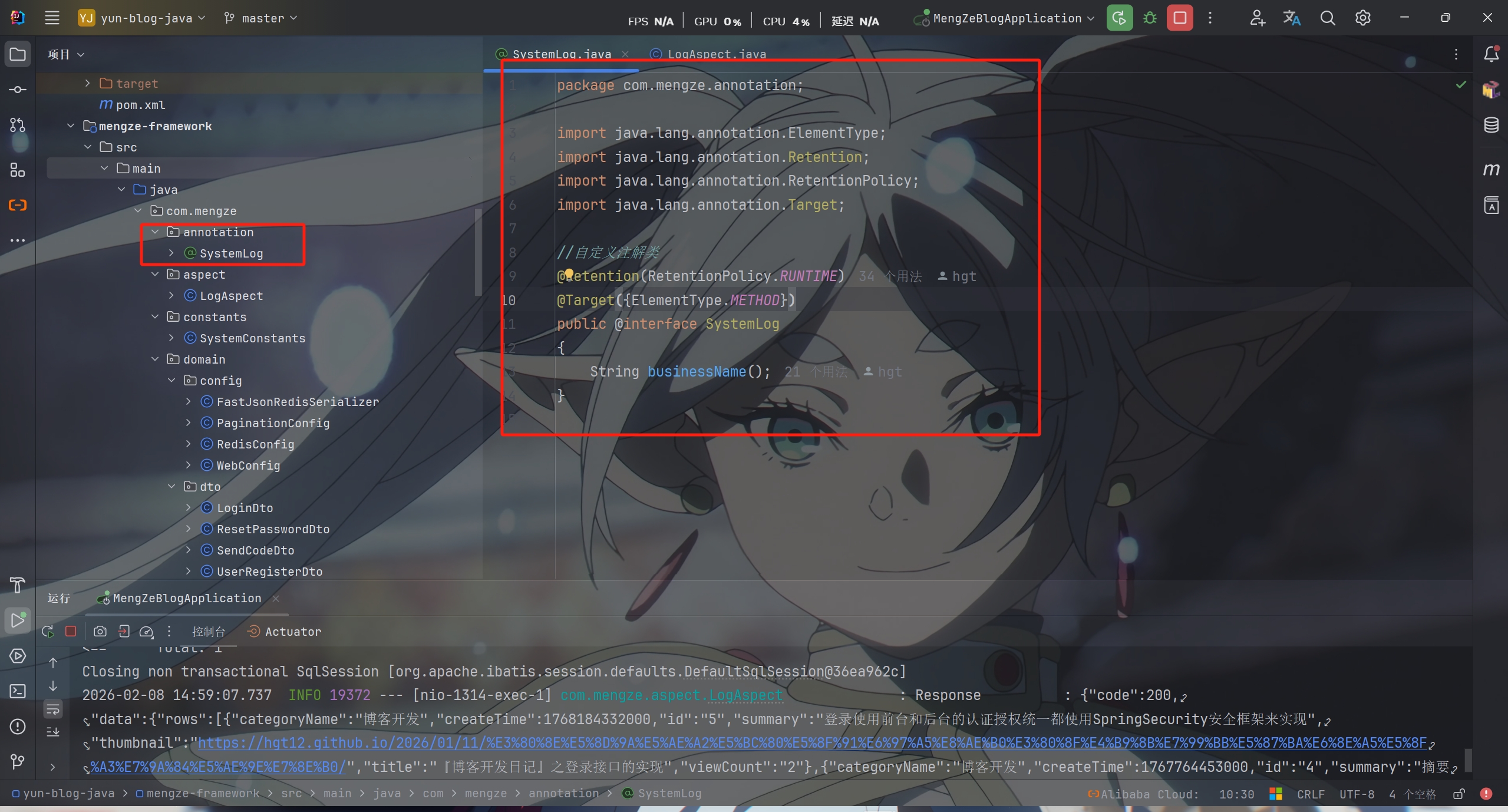
自定义注解类
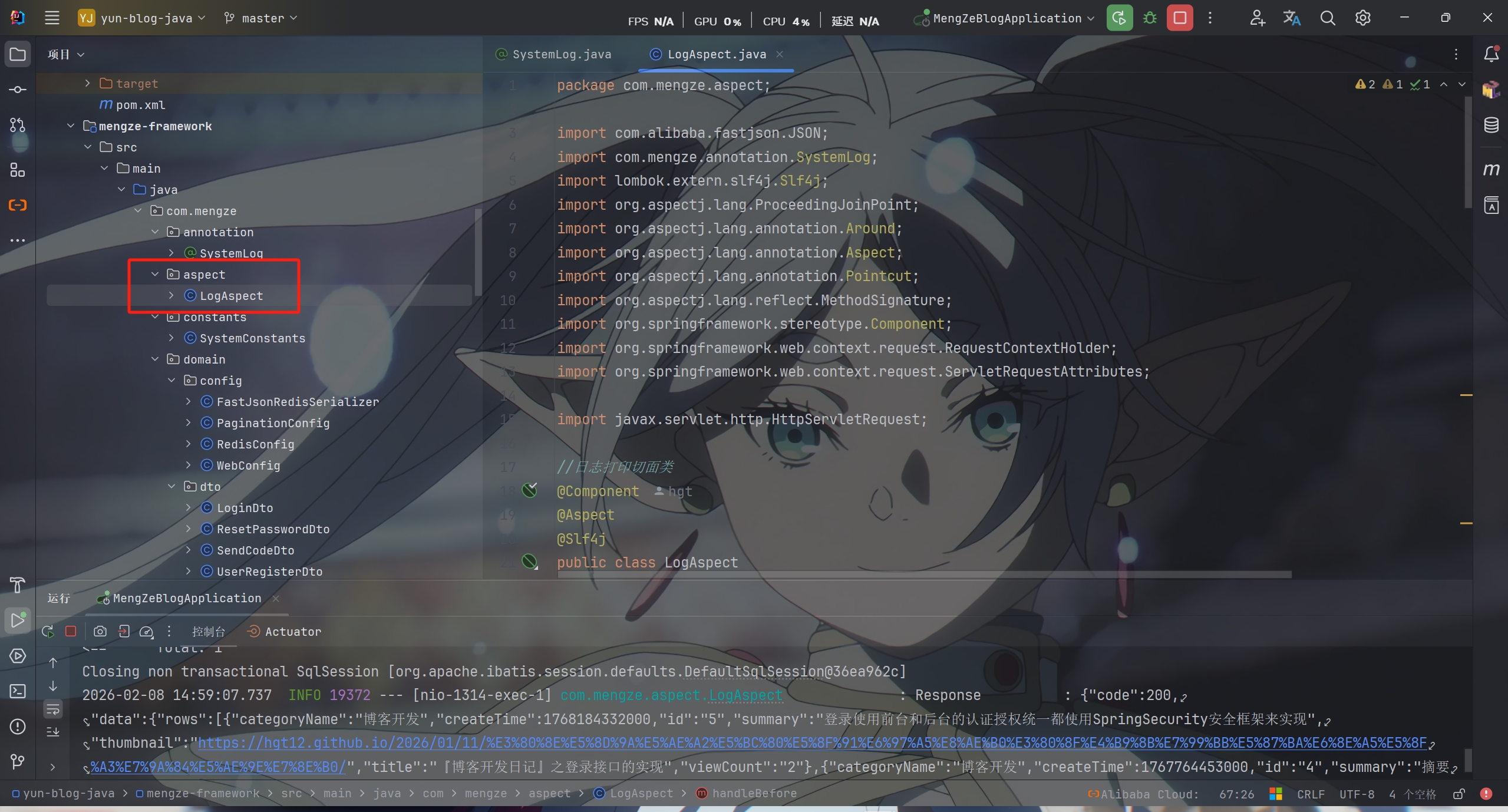
日志打印类
1
2
3
4
5
6
7
8
9
10
11
12
13
14
15
16
17
18
19
20
21
22
23
24
25
26
27
28
29
30
31
32
33
34
35
36
37
38
39
40
41
42
43
44
45
46
47
48
49
50
51
52
53
54
55
56
57
58
59
60
61
62
63
64
65
66
67
68
|
@Component
@Aspect
@Slf4j
public class LogAspect
{
@Pointcut("@annotation(com.mengze.annotation.SystemLog)")
public void pt() {
}
@Around("pt()")
public Object printLog(ProceedingJoinPoint joinPoint) throws Throwable
{
Object ret;
try {
handleBefore(joinPoint);
ret = joinPoint.proceed();
handleAfter(ret);
} finally {
log.info("=======End=======" + System.lineSeparator());
}
return ret;
}
private void handleAfter(Object ret) {
log.info("Response : {}", JSON.toJSONString(ret));
}
private void handleBefore(ProceedingJoinPoint joinPoint) {
ServletRequestAttributes requestAttributes = (ServletRequestAttributes) RequestContextHolder.getRequestAttributes();
HttpServletRequest request = requestAttributes.getRequest();
SystemLog systemLog = getSystemLog(joinPoint);
log.info("=======Start=======");
log.info("URL : {}", request.getRequestURL());
log.info("BusinessName : {}", systemLog.businessName());
log.info("HTTP Method : {}", request.getMethod());
log.info("Class Method : {}.{}", joinPoint.getSignature().getDeclaringTypeName(), joinPoint.getSignature().getName());
log.info("IP : {}", request.getRemoteHost());
log.info("Request Args : {}", JSON.toJSONString(joinPoint.getArgs()));
}
private SystemLog getSystemLog(ProceedingJoinPoint joinPoint)
{
MethodSignature methodSignature = (MethodSignature) joinPoint.getSignature();
SystemLog systemLog = methodSignature.getMethod().getAnnotation(SystemLog.class);
return systemLog;
}
}
|
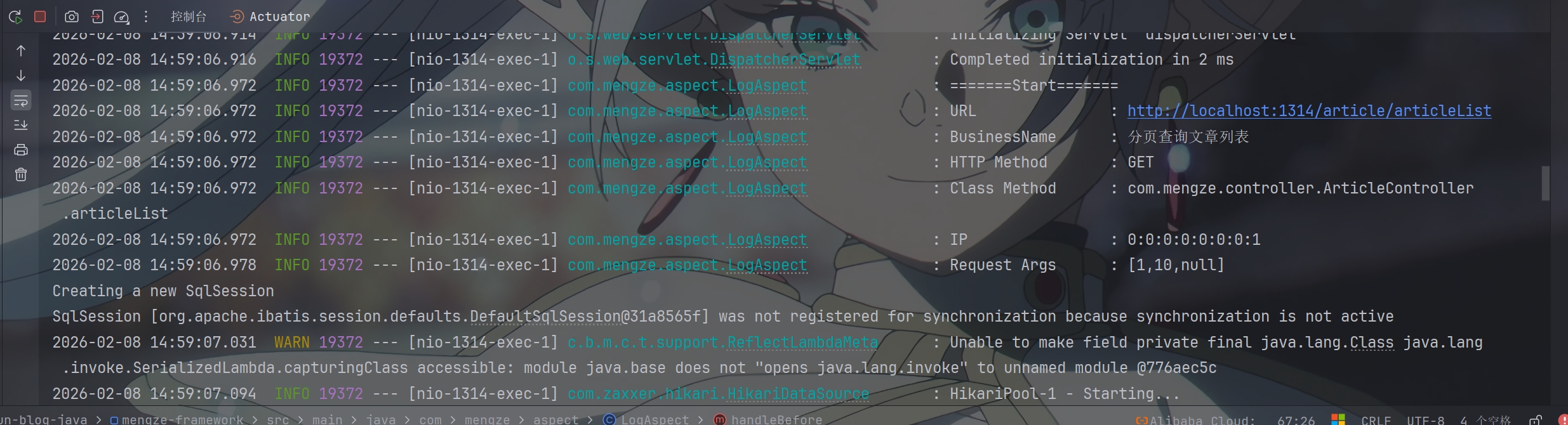
运行后控制台输出日志
PS:该系列只做为作者学习开发项目做的笔记用
不一定符合读者来学习,仅供参考
预告
后续会记录博客的开发过程
每次学习会做一份笔记来进行发表
“一花一世界,一叶一菩提”
版权所有 © 2026 云梦泽
欢迎访问我的个人网站:https://hgt12.github.io/