本文最后更新于 2026年4月12日 晚上
写文章接口的实现
写文章接口的需求
文章需要关联分类和标签
可以上传缩略图 也可以在正文中添加图片
文章可以直接发布 也可以保存到草稿箱
代码实现
与这个接口相关的有很多接口先前都已经实现如关联分类和标签(分类,标签下拉列表),上传缩略图(上传图片文件)
所以这个接口只需要实现添加功能就行
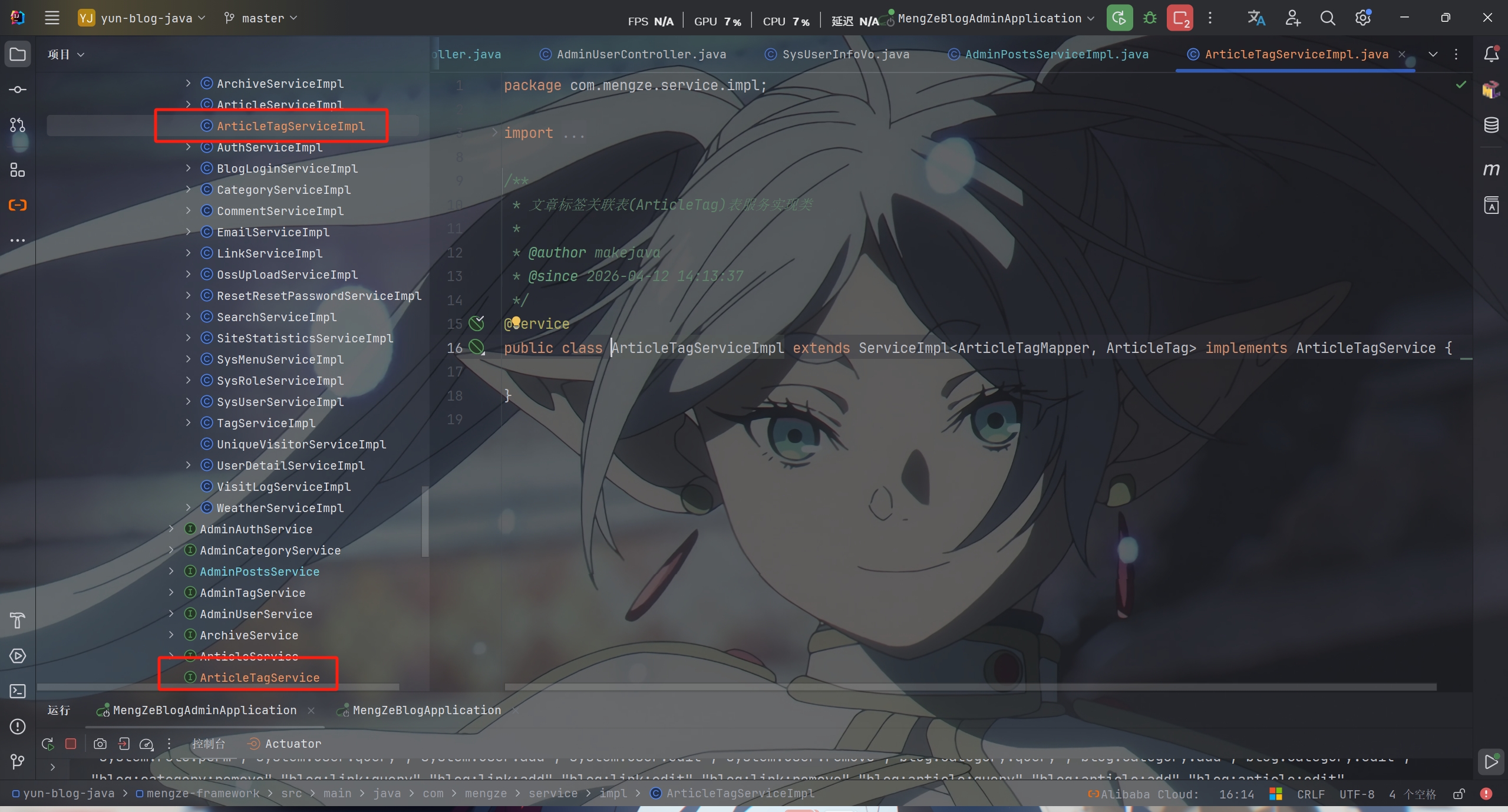
需要注意的是还要创建文章标签关联接口和实现类
这个接口目前只作为调用使用,里面不需要写实现代码
新建一个 AddPostsDto 请求对象
1
2
3
4
5
6
7
8
9
10
11
12
13
14
15
16
17
18
19
20
21
22
23
24
25
26
27
28
29
30
31
32
33
34
35
36
37
38
39
|
@Data
@AllArgsConstructor
@NoArgsConstructor
@ApiModel(description = "添加文章请求对象")
public class AddPostsDto
{
@ApiModelProperty(value = "文章ID", example = "1")
private Long id;
@ApiModelProperty(value = "文章标题", required = true, example = "测试文章标题")
private String title;
@ApiModelProperty(value = "文章内容(HTML格式/md格式)", required = true, example = "你好")
private String content;
@ApiModelProperty(value = "文章摘要", example = "这是文章摘要")
private String summary;
@ApiModelProperty(value = "缩略图URL", example = "/thumbnails/vuejs.jpg")
private String thumbnail;
@ApiModelProperty(value = "分类ID", required = true, example = "1")
private Long categoryId;
@ApiModelProperty(value = "是否置顶(0-否,1-是)", required = true, example = "0")
private String isTop;
@ApiModelProperty(value = "状态(0-已发布,1-草稿)", example = "0")
private String status;
@ApiModelProperty(value = "是否允许评论(0-否,1-是)", example = "1")
private String isComment;
@ApiModelProperty(value = "标签列表")
private List<Long> tags;
}
|
然后就是 PostsController 中接口方法
1
2
3
4
5
6
7
| @PostMapping
@SystemLog(businessName = "新增文章")
@ApiOperation(value = "新增文章接口", notes = "新增文章")
public ResponseResult addPosts(@RequestBody AddPostsDto postsDto)
{
return adminPostsService.addPosts(postsDto);
}
|
最后在 AdminPostsServiceImpl 中实现接口功能
由于新写的文章浏览量为0
所以要初始化redis中新文章的浏览量为0
1
2
3
4
5
6
7
8
9
10
11
12
13
14
15
16
17
18
19
20
21
|
@Override
@Transactional
public ResponseResult addPosts(AddPostsDto postsDto)
{
Article article = BeanCopyUtils.copyBean(postsDto, Article.class);
save(article);
redisCache.setCacheMapValue(SystemConstants.ARTICLE_VIEW_COUNT, article.getId().toString(), 0);
List<ArticleTag> articleTags = postsDto.getTags().stream()
.map(tagId -> new ArticleTag(article.getId(), tagId))
.collect(Collectors.toList());
articleTagService.saveBatch(articleTags);
return ResponseResult.okResult();
}
|

PS:该系列只做为作者学习开发项目做的笔记用
不一定符合读者来学习,仅供参考
预告
后续会记录博客的开发过程
每次学习会做一份笔记来进行发表
“一花一世界,一叶一菩提”
版权所有 © 2026 云梦泽
欢迎访问我的个人网站:https://hgt12.github.io/