本文最后更新于 2026年5月30日 晚上
撤回通知接口的实现
撤回通知接口的需求
检查通知是否存在
已撤回的通知无需重复撤回
更新通知状态并写入撤回时间
代码实现
在 NoticeController 中添加接口
1
2
3
4
5
6
7
8
9
| @PutMapping("/{id}/revoke")
@PreAuthorize("@ps.hasPermission('sys:notice:revoke')")
@SystemLog(businessName = "撤回通知")
@ApiOperation(value = "撤回通知接口", notes = "撤回通知", response = String.class)
@ApiImplicitParam(name = "id", value = "通知ID", dataType = "long", paramType = "path", required = true)
public ResponseResult revokeNotice(@PathVariable Long id)
{
return sysNoticeService.revokeNotice(id);
}
|
添加常量
1
2
3
4
|
public static final String NOTICE_STATUS_REVOKED = "2";
|
放行撤回通知接口
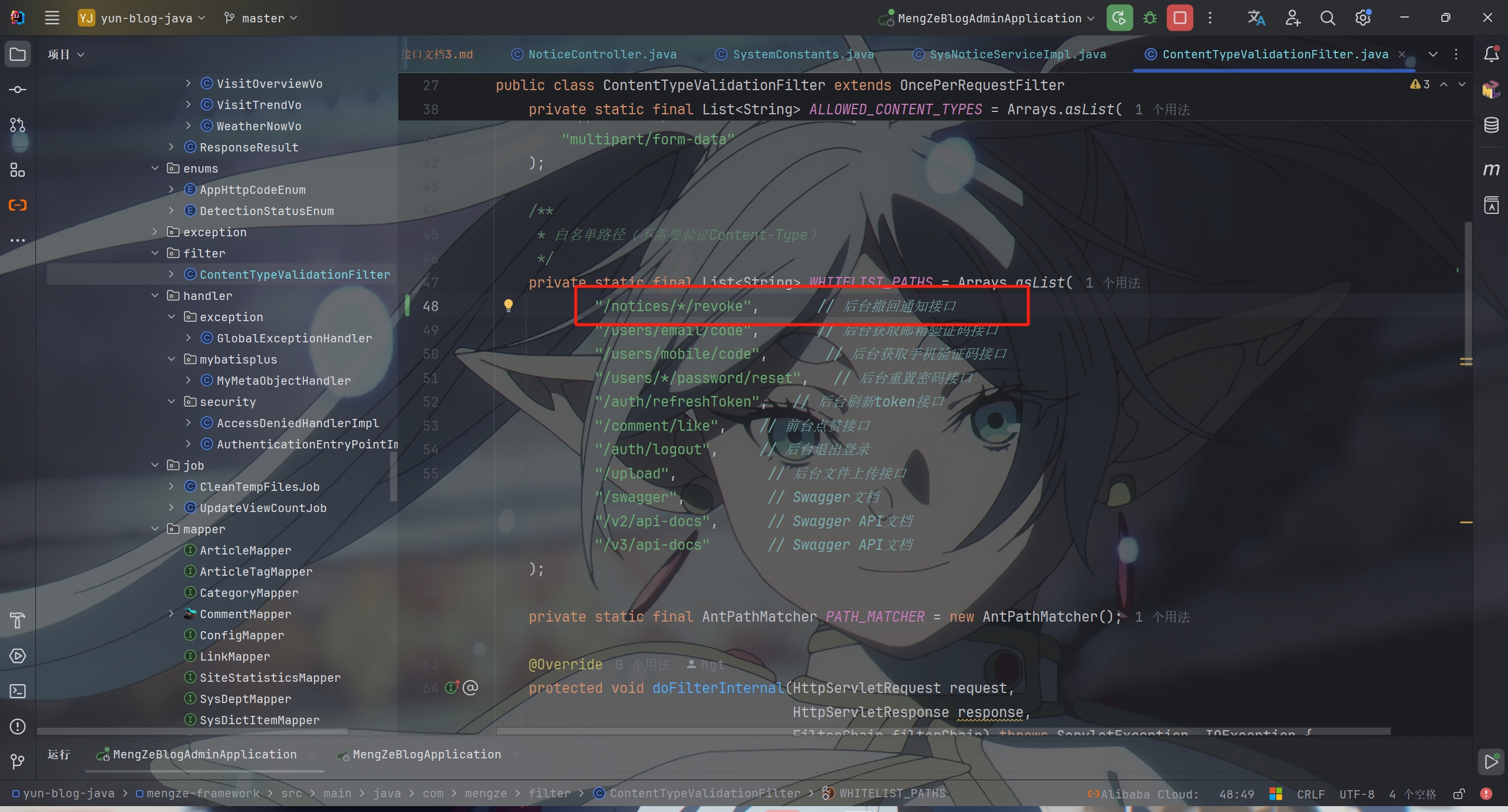
在 NoticeServiceImpl 中
1
2
3
4
5
6
7
8
9
10
11
12
13
14
15
16
17
18
19
20
21
22
23
24
25
26
27
28
29
30
|
@Override
public ResponseResult revokeNotice(Long id)
{
SysNotice oldNotice = sysNoticeService.getById(id);
if (oldNotice == null) {
return ResponseResult.errorResult(AppHttpCodeEnum.SYSTEM_ERROR, "该通知不存在!");
}
if (SystemConstants.NOTICE_STATUS_REVOKED.equals(oldNotice.getStatus())) {
return ResponseResult.okResult();
}
SysNotice notice = new SysNotice();
notice.setId(id);
notice.setStatus(SystemConstants.NOTICE_STATUS_REVOKED);
notice.setRevokeTime(new Date());
boolean updated = sysNoticeService.updateById(notice);
if (!updated) {
return ResponseResult.errorResult(AppHttpCodeEnum.SYSTEM_ERROR, "撤回通知失败");
}
return ResponseResult.okResult();
}
|

PS:该系列只做为作者学习开发项目做的笔记用
不一定符合读者来学习,仅供参考
预告
后续会记录博客的开发过程
每次学习会做一份笔记来进行发表
“一花一世界,一叶一菩提”
版权所有 © 2026 云梦泽
欢迎访问我的个人网站:https://hgt12.github.io/